When you upload a document, the full-page editor renders each page to a canvas so you can see exactly where your name will land. The signature you create sits on a separate layer while you position it, and when you hit Download it is written into the page content itself. The result is a normal PDF with the mark baked into the page, not a sticky note floating on top.
The whole process runs inside the browser tab. The file is read, edited and rebuilt on your own device, so nothing is sent to a server and no account is needed to finish a document.
The signature panel has three tabs. Each one produces the same kind of embedded artwork on the page, but the input differs.
|
Tab
|
What it does
|
Options you control
|
|
Draw
|
Captures freehand strokes from a mouse, trackpad, stylus or finger and converts them into a signature graphic.
|
Stroke width from 1 to 8 px (2 px by default), Clear, Undo
|
|
Type
|
Renders typed text in a handwriting-style font and places it as artwork on the page.
|
Great Vibes, Dancing Script, Allura, Sacramento, Pacifico or Satisfy, size 8 to 200 px, colour, bold / italic / cursive
|
|
Upload
|
Embeds an existing signature image, useful if you already scanned a wet signature.
|
PNG, JPG, WebP or SVG via drag-drop or file picker
|
A transparent PNG gives the cleanest result on the Upload tab, because a white rectangle from a scan will cover whatever sits under it.
-
Open the tool and add a single
.pdf
file. The editor opens with a toolbar, the page canvas and the signature panel.
-
Pick the Draw, Type or Upload tab and build your signature.
-
Click the spot on the page where it belongs. The click point sets the placement coordinates.
-
Add a date stamp next to the signature if the document needs one.
-
Use Previous and Next to move through pages and sign initials or extra pages.
-
Use Remove or Undo to correct a misplaced mark, then click Download to save the signed file. Share is there if you need to pass the result along.
Keyboard shortcuts cover the common actions, which helps when you are working through a long contract.
Nothing is re-encoded wholesale. The original text, images and page structure stay as they are, and the signature is appended to the page it belongs to. Page count, page size and existing form fields are untouched, so a signed copy opens the same way in Acrobat, Preview, Chrome or a phone viewer.
File size grows only by the weight of the signature artwork, which is usually a few kilobytes for a typed name and slightly more for a photo-based image. If a scanned signature image is large, run the finished file through
Optimize PDF
afterwards.
-
Rental agreements, NDAs, offer letters and consent forms that only need a visible mark of agreement.
-
Invoices and delivery notes where a supplier asks for a signed copy back by email.
-
School, medical or membership forms you would otherwise print, sign and scan.
-
Internal approvals where initials on several pages are enough.
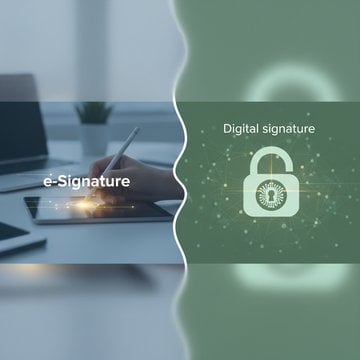
If the receiving party demands a certificate-backed digital signature with tamper detection, that is a different mechanism. The
comparison of eSignatures and digital signatures
explains where each one holds up.
-
Signature looks shaky:
raise the stroke width to 3 or 4 px and draw more slowly, or switch to the Type tab.
-
Uploaded image has a white box around it:
use a PNG or SVG with a transparent background.
-
Mark landed in the wrong place:
click Undo or Remove and place it again before downloading.
-
File will not open:
password-protected documents must be unlocked first with
Remove Password Protection
.
-
Form fields still need filling:
complete them in
PDF Forms
or
Edit PDF
first, then sign.
It draws your signature into the page content of the PDF at the coordinates you clicked. The original text and images are left alone, so the output is the same document with extra artwork on one or more pages. Because the mark is embedded rather than attached as an annotation, it shows up in any viewer and survives printing.
No. The document is opened, rendered and rewritten inside your browser tab, and the signed copy is generated on your own machine. Nothing is transmitted to a server for processing, which is why a contract with personal or financial details can be handled without a transfer step. Closing the tab discards everything in memory.
In many countries a drawn, typed or uploaded mark counts as an electronic signature and is accepted for everyday agreements such as leases, NDAs and consent forms. Some contracts, deeds and court filings require a certificate-based digital signature with a verifiable identity and tamper detection instead. Check what the receiving party requires before you send the file.
Signing adds visible artwork to the page content and changes how the document reads. Protecting changes how the file is encoded:
Protect PDF
encrypts the contents with a password and permission flags, so a viewer must supply the password before any page renders. One records agreement, the other controls access. Many people sign first, then encrypt the finished copy.
Yes. The Draw canvas accepts touch and stylus input as well as a mouse, and a finger drawn signature on a phone usually looks closer to handwriting than one drawn with a trackpad. Placement works by tapping the page, and the download saves to your device storage. The Type tab is the steadier option on small screens.
PNG, JPG, WebP and SVG, added by drag-drop or through the file picker. PNG and SVG keep transparency, so the page behind the signature stays visible. JPG has no alpha channel, which means a scan saved as JPG arrives with a solid white background that can hide underlying lines or text on the form.
Yes. Use the Previous and Next buttons to move through the document and click on each page that needs a mark. Every placement is written to the page it was made on, so initials on page three and a full signature on page ten end up in the right places in the single file you download.
Turn on the date stamp option in the signature panel before placing your mark. The date is written as text alongside the signature graphic and becomes part of the page like any other placed element. It is a visible record for the reader, not a cryptographic timestamp, so treat it as documentation rather than proof.
Yes, while you are still in the editor. Undo steps back through your actions, Remove deletes a placed element and Clear wipes the drawing canvas so you can start again. Nothing is committed to the file until you click Download, because the final PDF is only assembled at that moment from the original pages plus your placements.
Yes. The editor takes one PDF at a time, so sign each file, then join the results with
Merge PDF
. Merging copies whole pages into a new container, and since your signature is already part of the page content it travels with the page and needs no re-signing.